
Your Progress
Track your journey through the guide.
0 of 16 explored
☑ Mark sections complete as you finish the resources within them. Use ☆ Save to bookmark individual resources for later.
Intelligence Center

Your AI Study Guide

A structured learning agenda for anyone building AI fluency.

Author: Megan C. Starkey, Founder
Originally published: December 2024
Updated: March 2026
Contact: contact@rbdco.ai

Introduction

Your First 20 Hours

The consensus across the major research firms is that executives need at least 20 focused hours of AI learning before they can participate meaningfully in strategic AI discussions. That is a real commitment, and most people have not had the time. This guide is designed to make those hours count. The question it answers is simple: What do I actually need to know, and in what order?

You do not need to be technical. Many readers are executives navigating AI decisions, others are operators trying to understand what is changing and why, and some are founders building from scratch. Whatever your starting point, this guide meets you there.

AI is a vast and intricate universe, and each topic resembles its own galaxy. I spent a long time wandering through it, reading papers, taking courses, following dead ends, refining what mattered and discarding what did not. Two years of intensive study, consulting engagements, and the research that produced The Intelligence Organization later, I have done that work so you do not have to. This guide is the sequence I wish I had started with.

This is a learning agenda, not a course. Each section gives you context, curated resources, and guidance on where to go deeper. The actual learning happens when you follow the links, read the books, take the courses, and use the tools. I have used, read, or evaluated every resource listed here. They are not exhaustive. AI is a field where curiosity rewards exploration. Follow the path, then follow your curiosity.

This is not a "how to use AI in your role" guide. There is plenty of that. This is for people who want to understand the entire sphere: the technology, the economics, the organizational design, the governance, the ethics, the infrastructure. Where teaching content appears, it is there to orient you. Give every section at least a pass, even the ones outside your immediate need.

How This Guide Works

The topics are organized in a learning progression. Each level builds on the one before it: orienting yourself to the landscape, applying tools to real work, analyzing how others have implemented AI, evaluating strategic decisions, then creating new systems and workflows. Start where you feel comfortable, but do not stay there. Follow the path, then follow your curiosity.

Use the Contents tab (right edge) to track your progress. Mark sections complete as you go. Expand the notes area in any section to capture your own thinking. Your progress and notes are saved locally in your browser — nothing leaves your device.

Mark individual resources complete
☆ SaveBookmark for later
✓ CompleteMark entire sections done
Learning Progression
Orient
Foundations, AI Tech Stack, Data Fundamentals
Apply
Individual Productivity, Prompt Engineering, Daily AI Use
Analyze
Use Cases, Business Strategy, Implementation Patterns, Failure Modes
Evaluate
Tool Selection, Value Prioritization, Security, Governance, Ethics
Create
AI Agents, Skills & Automation, Workflow Design, Operating Models, Knowledge Systems
Orient
Apply
Analyze
Evaluate
Create

Short on time? Complete sections 01 (Foundations) and 03 (Productivity) first. That covers 6–8 hours for minimum viable fluency. Then use your Learning Track below to decide what comes next.

Learning Tracks by Role

Find your role. Follow the track top to bottom. The numbered list is your sequence — start at 1, work down.

CEO / Board Member

  1. Foundations
  2. AI for Business
  3. Failure Modes
  4. Value Prioritization
  5. Governance
  6. AI Agents
  7. Ethics
  8. Productivity
↓ Follow this track top to bottom

VP / Functional Leader

  1. Foundations
  2. Productivity
  3. AI for Business
  4. AI Agents
  5. Tool Selection
  6. Workflows
  7. Governance
  8. Skills & Automation
↓ Follow this track top to bottom

Manager

  1. Foundations
  2. Productivity
  3. Skill Development
  4. AI Agents
  5. Skills & Automation
  6. Tool Selection
  7. Workflows
  8. Staying Current
↓ Follow this track top to bottom

Small Business Leader

  1. Foundations
  2. Productivity
  3. Tool Selection
  4. AI Agents
  5. Skills & Automation
  6. Value Prioritization
  7. Failure Modes
  8. Workflows
↓ Follow this track top to bottom

Solopreneur / Consultant

  1. Foundations
  2. Productivity
  3. AI Agents
  4. Skills & Automation
  5. Skill Development
  6. Workflows
  7. Tool Selection
  8. Staying Current
↓ Follow this track top to bottom

Depth Matrix

How deep each role should go in each section. High = spend real time here. Med = working familiarity. Low = skim or skip.

Enterprise & Mid-Market Small Business & Independent
Section CEO / Board VP / Func. Manager Small Biz Solo / Consult
FoundationsHighHighHighHighHigh
Data FundamentalsMedMedMedMedLow
ProductivityMedHighHighHighHigh
Skill DevelopmentLowMedHighMedHigh
Applied KnowledgeMedHighMedHighMed
AI for BusinessHighHighMedHighMed
Failure ModesHighHighMedHighMed
Tool SelectionMedHighHighHighHigh
Value PrioritizationHighHighMedHighMed
Governance & SecurityHighHighMedMedLow
EthicsHighMedMedMedMed
WorkflowsMedHighHighHighHigh
InfrastructureLowMedLowLowLow
Staying CurrentMedMedHighHighHigh
AI AgentsMedHighHighHighHigh
Skills & AutomationLowMedHighHighHigh

High = core to your role. Med = useful context. Low = reference only.

Prerequisite Knowledge

The AI Tech Stack

Before diving into the learning journey, orient yourself to the architecture underneath every AI product. You do not need to build at every layer. You need to know they exist.

Deconstructing the AI Stack A STEP-BY-STEP GUIDE TO MODERN AI ARCHITECTURE Step 1: Infrastructure Layer (The Foundation) NVIDIA GPUs AWS AWS Azure Azure GCP GCP The compute and hardware underneath, including GPUs, cloud providers, and training clusters that power the entire system. Most organizations consume this as a service. Step 2: Model Layer (The Intelligence Engine) A\ Anthropic Claude GPT OpenAI GPT G Google Gemini M Meta Llama The core reasoning capability provided by foundation models, which most organizations access via API rather than training themselves. Open-source (Llama) vs. proprietary (Claude, GPT). Step 3: Data Layer (The Knowledge Base) Vector DBs RAG Knowledge Graphs ETL Pipelines Vector databases, RAG, embeddings, knowledge graphs. Platform data quality, coherence, and continuity across functions determines output quality. Agents must find their way through the messy and fractious data universe. Step 4: Tool & Integration (The Connector) APIs fn() Function Calling MCP Plugins Enables AI to take action and connect to the outside world through APIs, function calling, and the Model Context Protocol (MCP). Zapier, OpenAI function calling, Anthropic MCP. Step 5: Orchestration Layer (The Coordinator) LangChain CrewAI AutoGen Assistants API Frameworks coordinate how components work together, managing prompt chains and multi-step reasoning for complex behaviors. Where agents become more than single prompts. Step 6: Application Layer (The Interface) ChatGPT Dashboards Copilots AI Custom Tools What the user sees and interacts with — chatbots, dashboards, copilots, or AI-powered features in software like Salesforce, Adobe, or Notion AI. Claude.ai, ChatGPT, GitHub Copilot, Notion AI. SOURCE: RBD. — AI Study Guide 2026 rbdco.ai

Interactive Visualizers Inside Each Layer

Each layer below links to a simulation you can explore. Look for "See how this works ↗" — these open interactive walkthroughs that show what actually happens at each level of the stack.

Application
Layer
What users see and interact with. Chatbots, copilots, dashboards, agents. Examples: Claude.ai, ChatGPT, GitHub Copilot, AI features in Salesforce, Adobe, Notion. See how these work ↗
Orchestration
Layer
Coordinates how AI components work together. Agent frameworks, prompt chains. Examples: LangChain, Claude Code, CrewAI. See how this works ↗
Tool &
Integration
Connects AI to the outside world. APIs, MCP, function calling, plugins, code execution. See how this works ↗
Data
Layer
Gives AI access to your knowledge. Vector databases, RAG, embeddings, knowledge graphs, platform data. Quality, coherence, and continuity across functions determines output quality. Agents must find their way through the messy and fractious data universe. See how this works ↗
Model
Layer
The intelligence engine. Foundation models (Claude, GPT, Gemini, Llama), fine-tuned models, specialized models. See how this works ↗
Infrastructure
Layer
Compute and hardware. GPUs, cloud providers (AWS, Azure, GCP), edge computing. Most orgs consume as a service. See how this works ↗
Questions for Business Leaders to Ask Technical Peers
  • Walk me through which layers of this stack we currently use. Where are we building custom capability versus buying, and what drove those decisions?
  • How is our data organized across these layers? Can our AI tools actually access the data they need, or are there gaps between where data lives and where models can reach it?
  • If we wanted to switch model providers next quarter, what would break? What is our level of vendor dependency at each layer?
  • What is our total AI spend across all layers — compute, licensing, tooling, personnel — and is anyone tracking it holistically?
  • Which layer is our weakest? Where would a failure or bottleneck have the most impact on everything above it?
  • What security and data usage policies are in place for our AI systems? Who owns them and when were they last reviewed?
  • How can we partner on use cases so that the technical capabilities you are building are deployed in value-creating areas? What do you need from the business side to make that work?
Learning Journey

Your Path, Section by Section

Click any topic to expand. Work through them in order for the strongest foundation, or use the role playlists to prioritize.

Orient
01

Foundational Understanding~4 hrs

Orient
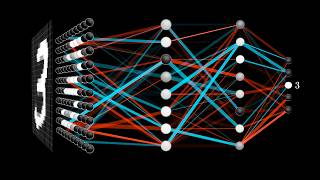
Core concepts: deep learning, LLMs, generative AI. Build the vocabulary for every conversation that follows.
+

Capability Unlocked

After this section, you can follow any AI conversation at the conceptual level and identify which type of AI applies to a given problem.

Your starting point. Learn the core concepts and historical arc of AI: the distinctions between Deep Learning, Machine Learning, and Large Language Models, what Generative AI is, and what multi-modal systems mean in practice.

For this phase, use AI itself as your tutor. Ask Claude, ChatGPT, or Gemini your questions directly. The goal is conceptual fluency, not memorization.
Curated Curriculum

8 resources
04
Google AI Essentials (Coursera)Certificate course. ~10 hours. Covers AI fundamentals, prompt techniques, responsible use. Beginner-friendly with professional certificate. coursera.org
Course
05
DeepLearning.AI: AI for Everyone (Andrew Ng)Non-technical course from Andrew Ng, co-founder of Coursera and Google Brain. ~6 hours. Perfect for executives. deeplearning.ai
Course
06
Vox: "AI, Explained" SeriesAccessible for non-technical audiences. Under 15 min each. Good for building vocabulary fast. YouTube
Video
07
WaitButWhy: The AI RevolutionOlder (2015) but still the best civilizational framing of what AI means. Two-part long-form essay. waitbutwhy.com
Article
08
Harvard CS50: Introduction to AI with PythonFree Harvard course. More technical than others here. Watch the first 2-3 lectures for depth; skip if you prefer conceptual-only. cs50.harvard.edu/ai
Lecture
Geoffrey Hinton on StarTalk
Geoffrey Hinton: Is AI Hiding Its Full Power?StarTalk
Tristan Harris on AI
Tristan Harris: What the World Looks Like in 2 YearsDiary of a CEO
Vox AI Explained
Vox: AI, ExplainedVox
Saved automatically in your browser
02

Data Fundamentals~2 hrs

Orient
Data quality, governance, security, and maturity. AI is only as good as the data underneath it.
+

Capability Unlocked

After this section, you will understand why data quality is the #1 reason AI initiatives fail and what to look for in your own organization.

Data is AI's fuel. Understanding how AI consumes and processes data, alongside concepts of data maturity, quality, security, and governance, clarifies both what AI can do and where it breaks.

Related: Section 10: Governance covers data governance in organizational context.

Curated Curriculum

7 resources
03
Fast.ai: Practical Deep Learning for CodersTop-down, code-first approach by Jeremy Howard. Free. Start building before you understand every concept. course.fast.ai
Course
04
DAMA-DMBOK FrameworkIndustry-standard for data governance and maturity assessment. Skim the framework, not the 600-page book. dama.org
Framework
05
"Designing Data-Intensive Applications" (Kleppmann)Definitive book on data systems architecture. Technical but clear. Read chapters 1-3 for orientation. dataintensive.net
Book
06
Databricks: Data + AI GlossaryPlain-language definitions of data and AI terms. Keep this open as a reference while working through other materials. databricks.com/glossary
Reference
07
Hugging Face: NLP CourseFree course covering tokenization, transformers, fine-tuning. Goes deeper than needed for most, but excellent for understanding how models process language. huggingface.co/learn
Course
Saved automatically in your browser
Open
Apply
03

AI for Individual Productivity~3 hrs

Apply
Daily AI use for real work: writing, analysis, research, meeting prep, decision support.
+

Capability Unlocked

Use AI for your actual daily work and model AI-fluent behavior for your team.

Before an organization can transform, its people need fluency. This means using AI tools for your actual work. The key is daily use on real tasks, not practice exercises.

Do not wait until you have finished the foundations. Draft a real memo with Claude. Analyze real data with ChatGPT. The difference between understanding AI conceptually and being able to use it comes from working with it on real tasks, repeatedly.

Curated Curriculum

7 resources
03
OpenAI Prompt Engineering GuideChain-of-thought, few-shot, role prompting, structured output. Comprehensive reference. platform.openai.com
Guide
04
Learn Prompting (Open Source)Community-built curriculum. Progressive difficulty from beginner to advanced. Covers all major models. learnprompting.org
Curriculum
05
Claude.ai ProjectsPersistent project contexts in Claude. Upload docs, set system instructions. Your first step toward AI-native workflows. claude.ai
Tool
06
Notion AI / Microsoft Copilot / Google GeminiStart with AI features already embedded in your tools before buying new ones. notion.so
Embedded
07
Anthropic WorkbenchPrompt playground for testing and iterating. Compare outputs, adjust parameters, save prompts. console.anthropic.com
Playground
Saved automatically in your browser
Open
04

Skill Development: Prompt Engineering and Beyond~2 hrs

Apply
From prompt engineering to context engineering. Why the skill is shifting and what to learn now.
+

Prompt engineering — structuring inputs to get better outputs — was the entry point for most professionals learning AI. It still matters, but the field is moving past it. As models improve, the bottleneck shifts from how you phrase a single question to what information the model has access to when it answers. The industry is calling this shift context engineering: designing the full set of instructions, documents, tools, and conversation history that a model sees at each step. If prompt engineering is writing a good question, context engineering is building the room the conversation happens in.

This section covers both. Start with prompt engineering fundamentals if you are new to AI tools, then move toward context engineering and role-specific skill building as your fluency grows.

The best way to learn might be simpler than any curriculum: get comfortable prompting and use your tool of choice as a portal into the world. Ask it to explain what you are reading. Ask it to compare two approaches. Ask it what you should learn next. The tool itself becomes the tutor — but only if you use it daily on real questions.

Curated Curriculum

10 resources
03
Anthropic DocumentationSystem prompts, tool use, structured outputs. The reference manual for Claude. Bookmark it. docs.anthropic.com
Reference
04
Simon Willison's BlogBest practitioner voice on LLMs. Honest evaluations, no hype. Follow for ongoing education. simonwillison.net
Blog
05
Ethan Mollick's Substack: "One Useful Thing"Weekly experiments and analysis on AI in work and education. Consistently the most insightful AI newsletter. oneusefulthing.org
Newsletter
06
Principled Prompting (arXiv)26 systematic principles for effective prompting, backed by empirical research. Dense but worth skimming. arxiv.org
Paper
07
Google AI StudioFree playground for Gemini models. Test prompts, compare outputs, experiment with multimodal inputs. aistudio.google.com
Playground
08
Anthropic: Effective Context Engineering for AgentsThe definitive resource on the shift from prompt engineering to context engineering. How to design the full information environment — system instructions, tools, memory, retrieved documents — that determines whether an AI agent succeeds or fails. anthropic.com
Blog
09
Allie K. Miller: AI for Business Leaders (Maven)The top-rated AI course for non-technical leaders. 40 modules covering practical AI adoption, tool evaluation, and organizational strategy. Taken by leaders at Goldman Sachs, Google, JP Morgan, 3M. maven.com
Course · Paid
10
Allie K. Miller: The AI Fast TrackFree 5-day email course covering Claude, ChatGPT, custom software creation, and task automation. Good on-ramp if you want structured daily practice. alliekmiller.com
Course · Free
Saved automatically in your browser
Open
Analyze
05

Applied Knowledge: Use Cases and Patterns~2 hrs

Analyze
Build a mental library of what has worked. Study before you create.
+

Study what has been done before generating your own ideas. I maintain a research repository you are welcome to use. Google NotebookLM can convert any paper into audio for passive learning.

Curated Curriculum

7 resources
03
RBD. Intelligence CenterCurated white papers, case studies, and proprietary analysis. rbdco.ai/intelligence-center
Library
04
"Rewired" (McKinsey)Enterprise AI transformation. Dense but essential reading for anyone leading organizational change. mckinsey.com
Book
05
Latent Space PodcastTechnical AI podcast with practitioners and researchers. Weekly. latent.space
Podcast
06
Hard Fork (NYT)Kevin Roose and Casey Newton cover AI's intersection with business and culture. Accessible for non-technical listeners. nytimes.com
Podcast
07
Product Hunt AIDaily new AI tool launches. Track what is shipping. producthunt.com
Discovery

Research repositories worth monitoring

Saved automatically in your browser
Open
06

AI for Business: Strategy and Operating Models~2 hrs

Analyze
How AI creates organizational value. Why it is a design challenge, not a technology challenge.
+

The core insight from my research: AI transformation is an organizational design challenge, not a technology challenge. Most organizations that fail with AI fail for structural reasons.

These four bands change how you prioritize the rest of this guide. Technology, people, operations, and governance must advance together. Each section from here forward maps to one or more bands.

Explore: The Four Capability Bands

Band 1: Right-Fit Technology

Fitting technology to what your organization can absorb. See Section 08.

Band 2: People & Purpose

The binding constraint for all other bands. See Section 12.

Band 3: Operational Integration

Embedding AI into connective tissue. See Section 12.

Band 4: Adaptive Governance

The immune system. See Section 10.

Your organization's ability to absorb change is the binding constraint.
Band 1: Right-Fit Technology — Fitting technology to capability absorption. Your limit is people, data infrastructure, and process maturity — not technical ambition. Core tools: Capability Assessment, Capacity Heat Map, Right-Fit Decision Matrix. Learn more in The Intelligence Organization
Band 2: People & Purpose — Building human capability and shifting leadership from command-and-control to cultivation. This band is the binding constraint for all other bands. If your people cannot absorb the change, no amount of technology investment will produce results. Learn more in The Intelligence Organization
Band 3: Operational Integration — Embedding AI into connective tissue. Aligning data, workflows, automation, and decision-making so the enterprise functions as one coherent system. Not adding new capability — making existing ones work together. Learn more in The Intelligence Organization
Band 4: Adaptive Governance — The immune system. Not a checkpoint but a living system. Tiered decision rights matched to risk, authority distributed to expertise not hierarchy, guardrails that anticipate failure. Learn more in The Intelligence Organization

Curated Curriculum

6 resources
02
"Rewired" (McKinsey)Enterprise-scale digital and AI transformation playbook. mckinsey.com
Book
03
HBR: AI and Machine LearningStrategic perspectives from Harvard Business Review. hbr.org
Articles
04
"The AI-First Company" (Ash Fontana)Data moats and AI-native business models. penguinrandomhouse.com
Book
05
Netflix Tech BlogRecommendation systems, ML infrastructure at scale. netflixtechblog.com
Blog
06
McKinsey: The State of AIAnnual survey of AI adoption across industries. Data-dense. mckinsey.com
Report
Gary Vee and Sinead Bovell on AI and social media
Gary Vee: AI is Ending the Social Media Era — What comes next for marketing leaders.Gary Vee · Sinead Bovell
Saved automatically in your browser
07

Failure Modes: What Goes Wrong and Why~1 hr

Analyze
The patterns that cause AI initiatives to fail. Study these before you invest.
+

Studying what goes wrong is as valuable as studying what goes right.

The Scattered Pilot Problem

Dozens of disconnected pilots, no portfolio governance, no compounding learning. The cure: portfolio prioritization.

Technology Exceeding Absorption Capacity

AI deployed faster than the organization can absorb. The cure: pace deployment to your actual ability to absorb change.

Shadow AI Sprawl

Employees adopting tools without governance. The cure: clear boundaries + fast lanes. See Section 10.

The Intelligence Organization

Catalogs failure patterns, provides diagnostic frameworks, introduces the Intelligence Organization Method and Starkey Model.

Learn more at rbdco.ai →

Curated Curriculum

5 resources
02
Panorama Consulting: ERP/AI Failure SurveysAnnual survey of 1,600+ deployments. Failure rates and root causes. panorama-consulting.com
Report
03
MIT Sloan Management Review: AIWhat works and what does not at enterprise scale. sloanreview.mit.edu
Articles
04
BCG: Where AI Delivers Real ValueData on which AI implementations generate returns and why. bcg.com
Report
05
ZDNet: AI SectionReal-world deployment case studies — both successes and failures. zdnet.com
News
Saved automatically in your browser
Open
Evaluate
08

Fit-for-Purpose Tool Selection~1 hr

Evaluate
Match the right tool to the right task. When to buy, build, or wait.
+

Readiness Check

  • Used at least two AI tools for real work?
  • Can describe the Tech Stack layers?

The AI tool landscape expands faster than any individual can track. Audit what you already have before buying new.

Curated Curriculum

6 resources
02
There's An AI For That10,000+ AI tools searchable by use case. Useful for discovery, not evaluation. theresanaiforthat.com
Directory
03
Zapier / Make.comNo-code AI workflow automation. Connect AI to your existing tools without engineering. zapier.com
Automation
04
LMSYS Chatbot ArenaBlind comparison of AI models via crowdsourced evaluation. The most reliable public benchmark. chat.lmsys.org
Benchmark
05
Perplexity AIAI-powered search with source citations. Useful for research and fact-checking. Compare against traditional search. perplexity.ai
Tool
06
Model Context Protocol (MCP)Open standard for connecting AI to external tools and data. Understanding MCP changes how you evaluate tool integration. modelcontextprotocol.io
Standard
Saved automatically
Open
09

Value Prioritization and the Starkey Model~1 hr

Evaluate
Not all AI investments are equal. A framework for where to allocate capital.
+

Readiness Check

The Starkey Model maps use cases against value potential and implementation feasibility.

Drive Now

High value, high feasibility. Execute immediately.

Develop Next

High value, lower feasibility. Build capability first.

Do Gradually

Lower value, high feasibility. Don't let these consume resources.

Defer

Revisit when conditions change.

← Feasibility →↑ Value

Curated Curriculum

2 resources
02
RBD. Intelligence CenterResearch briefs applying prioritization methodology to real organizational decisions. rbdco.ai/intelligence-center
Research
Saved automatically
Open
10

Governance, Security, and Risk~1.5 hrs

Evaluate
The operating system for safe AI deployment. Not a checkbox. A living system.
+

Current Landscape (March 2026)

EU AI Act in effect. US policy shifting quarterly. Organizations that build adaptive governance now will not need to retrofit.

Six governance nodes from The Intelligence Organization. Click to expand:

Wave 1

Decision Node

Competence-based authority, not hierarchical sign-off.

Diagnostic:
  • Who approves AI deployments? How long does it take?
  • Can low-risk experiments happen in 48 hours?
Red flag: All decisions route to a monthly committee.
Wave 1

Committee Node

Intent-based guardrails, not prescriptive rules.

Diagnostic:
  • Are guardrails intent-based or rule-based?
  • When were AI guidelines last updated?
Red flag: Static document nobody reviews.
Wave 1

Security Node

Continuous monitoring, red-teaming, provenance tracking.

Diagnostic:
  • Do you know what data goes to third-party AI?
  • Have you red-teamed any deployed system?
Red flag: No one can answer the first question.
Wave 2

Compliance Node

Real-time feeds, not quarterly audits.

Diagnostic:
  • Compliance integrated into workflows or checked after?
  • Which regulations apply? Can you list them?
Red flag: "We'll handle compliance after the concept works."
Wave 1

Portfolio Node

Starkey Model applied to ongoing decisions.

Diagnostic:
  • Single view of all AI initiatives?
  • Who decides what gets funded or killed?
Red flag: Multiple untracked pilots.
Wave 2

Alignment Node

Sociocratic consent, not mandated compliance.

Diagnostic:
  • Do stakeholders feel heard in AI decisions?
  • How are competing priorities resolved?
Red flag: Top-down mandates, no feedback mechanism.

Curated Curriculum

8 resources
02
EU AI Act — Summary and GuideShaping global AI regulation. Read the summary even if your org is US-based. artificialintelligenceact.eu
Regulation
03
OWASP AI Security & Privacy GuideAI-specific threat modeling and mitigations. owasp.org
Guide
04
Anthropic Safety ResearchConstitutional AI, model behavior research, responsible scaling. anthropic.com/research
Research
05
Partnership on AIMulti-stakeholder organization. Responsible AI guidelines and case studies. partnershiponai.org
Org
06
ISO/IEC 42001: AI Management SystemsInternational standard for organizational AI governance. Preview the framework. iso.org
Standard
07
IBM watsonx.governanceEnterprise AI governance control plane. Monitor models for bias, drift, and compliance across any deployment. ibm.com
Platform
IBM watsonx governance
IBM watsonx.governance — What an AI governance control plane looks like in practice. Monitor, manage, and audit models across your org.IBM
Saved automatically
Open
11

Ethics and Responsibility~1 hr

Evaluate
Bias, equity, and ethical obligations at scale.
+

Every person deploying or using AI should understand its ethical challenges and follow policy developments.

Curated Curriculum

5 resources
02
Algorithmic Justice LeagueCases of AI bias with interventions. Watch "Coded Bias" documentary. ajl.org
Advocacy
03
Stanford HAI (Human-Centered AI)Research and policy on responsible AI innovation. hai.stanford.edu
Institute
04
"Weapons of Math Destruction" (Cathy O'Neil)How algorithms perpetuate inequality. Essential context for responsible AI deployment. penguinrandomhouse.com
Book
05
Google: Responsible AI PracticesPractical guidelines for fair, interpretable, and safe AI systems. ai.google
Guide
Dr. Roman Yampolskiy on AI Safety
Dr. Roman Yampolskiy: The Only 5 Jobs That Will Remain — AI safety researcher on what automation means for work.Diary of a CEO
Saved automatically
Create
12

Designing Workflows and Operating Models~1.5 hrs

Create
How work actually changes. Adoption, change management, operating model design.
+

Readiness Check

Not everyone adopts AI the same way. Recognizing adoption personas changes how you approach change management.

Pathfinders

Activate Wave 1

Already experimenting. Channel productively. Equip, don't constrain.

Sandboxers

Activate Wave 2

Curious but cautious. Pair with Pathfinders for peer mentoring.

Gate-Blocked

Unlock Wave 1

Want to use AI but policy prevents it. Clarify boundaries. Quick win.

Skeptics

Convert Wave 2-3

Demand proof. Only converted by outcomes they care about.

Curated Curriculum

5 resources
02
"Team Topologies" (Skelton & Pais)Team interaction patterns for fast flow. Essential for org design. teamtopologies.com
Book
03
"Thinking in Systems" (Donella Meadows)Feedback loops, leverage points, system dynamics. Essential mental model. chelseagreen.com
Book
04
"Accelerate" (Forsgren, Humble, Kim)Data-backed research on high-performing technology organizations. Applies to AI-enabled teams. itrevolution.com
Book
05
Anthropic: Claude CodeBuild AI-native workflows in your terminal. Read files, manage projects, automate research. docs.anthropic.com
Tool
Saved automatically
Open
13

Infrastructure: Data Centers, Chips, Compute~1 hr

Create (Context)
Hardware economics shape what AI can do and at what cost.
+

Understanding supply-side dynamics helps you interpret announcements and anticipate shifts in what becomes possible and affordable.

Curated Curriculum

6 resources
02
Stratechery (Ben Thompson)Platform dynamics, AI industry analysis, business strategy. The gold standard for tech analysis. stratechery.com
Newsletter
03
Lex Fridman PodcastLong-form interviews with AI researchers, founders, and engineers. Episodes with Jensen Huang, Sam Altman, Dario Amodei. lexfridman.com
Podcast
04
NVIDIA GTC KeynotesJensen Huang's annual keynotes set the AI hardware roadmap. Watch the most recent. nvidia.com/gtc
Event
05
HPE Private Cloud AI with NVIDIAOn-prem AI infrastructure for organizations that need data sovereignty, air-gapped deployments, or regulatory compliance. The leading turnkey private AI stack. hpe.com
Platform
06
Google Distributed Cloud for AIRun Vertex AI and Gemini models on-premises. For enterprises that need cloud AI capabilities with data residency controls. cloud.google.com
Platform
Saved automatically
Open
15

AI Agents: Autonomous Systems That Act~2 hrs

Create
Tool use, multi-step reasoning, orchestration, and autonomous execution.
+

Capability Unlocked

After this section, you will know what an agent actually is, when to use one, and why they introduce a new class of governance decisions.

Agents represent the shift from AI-as-tool to AI-as-collaborator. A chatbot responds to a single prompt. An agent reads files, calls APIs, executes code, handles errors, and chains multiple steps to complete a goal. Claude Code is an agent. So are the systems behind automated customer service, code review pipelines, and research workflows.

The distinction matters for leaders because agents introduce a new class of decisions: what should AI be allowed to do autonomously, what requires human approval, and how do you govern systems that take action? These questions map directly to Governance (Section 10) and the Adaptive Governance framework in The Intelligence Organization.

Curated Curriculum

7 resources
04
Anthropic: Writing Tools for AgentsPractical guide on crafting tool definitions so agents can use them effectively. Includes using Claude to optimize its own tools. anthropic.com
Guide
05
Anthropic Cookbook: Agent PatternsRunnable Jupyter notebooks demonstrating tool use, agentic loops, and orchestration patterns with working code. GitHub
Code
06
OpenAI Agents SDKLightweight Python framework for building agents with handoffs, tools, guardrails, and multi-agent orchestration. Good comparison point to Anthropic's patterns. openai.github.io
Docs
07
CrewAI vs LangGraph vs AutoGen (DataCamp)Side-by-side comparison of the three leading multi-agent frameworks. Architecture, memory models, and when to pick each one. datacamp.com
Tutorial
Related: Section 10: Governance covers the decision rights framework for autonomous systems. Section 12: Workflows covers how agents fit into operating models.
Saved automatically
Open
16

Skills, MCP, and Workflow Automation~1.5 hrs

Create
Reusable AI skills, tool integrations, and automated workflows.
+

Capability Unlocked

After this section, you will know how to build reusable AI skills, connect Claude to your existing tools, and set up workflows that run on their own.

Section 15 covered what agents are. This section covers how to make them work for you repeatedly. The real leverage comes from building things you configure once and use indefinitely.

Three layers, each building on the last:

  • Skills — Reusable instruction sets that teach Claude how to perform a specific task. A skill loads on demand using minimal tokens until invoked. You define a writing voice, a review checklist, or a report format once, then call it by name in any session.
  • MCP (Model Context Protocol) — The open standard for connecting AI to external data and applications. MCP servers let Claude read your email, query databases, push to Slack, or interact with any tool that exposes an MCP interface.
  • Workflow Automation — Platforms like n8n, Zapier, and Make that chain AI actions with business logic. Trigger a Claude analysis when a form is submitted. Generate a weekly report and email it to your team. The automation layer is where individual AI capability becomes organizational capability.

Curated Curriculum

6 resources
03
Introduction to MCP (Anthropic Skilljar)Structured learning module walking through MCP concepts, architecture, and hands-on implementation. anthropic.skilljar.com
Course
04
Zapier MCP GuideConnect Claude to 8,000+ apps via Zapier's MCP server. No-code setup for instant AI-to-app automation. zapier.com
Guide
05
n8n: Build an AI WorkflowStep-by-step tutorial for AI-powered automation workflows. AI Agent node, memory, tools, and 500+ integrations with MCP support. docs.n8n.io
Tutorial
06
Claude Code: Skills, MCP, and PluginsClear breakdown of when to use Skills (procedural knowledge), MCP (external connectivity), or plugins, and how to combine them. docs.anthropic.com
Docs
Related: The Claude Code section covers building a personal knowledge graph using these tools.
Saved automatically
Open
Continuous
14

Staying Current~0.5 hr

Continuous
Build a sustainable information system. 15-30 minutes per week.
+

AI moves quarterly. Below are the sources I rely on, organized by cadence.

Daily & Weekly Sources

7 sources
02
Ben's BitesDaily AI newsletter. Quick-scan format with curated links. bensbites.beehiiv.com
Daily
03
Import AI (Jack Clark)Anthropic co-founder. Weekly research and policy analysis. Dense but essential. importai.substack.com
Weekly
04
The NeuronDaily AI newsletter focused on business applications. theneurondaily.com
Daily
05
Anthropic NewsroomClaude releases, safety research, product updates. anthropic.com/news
Lab Blog
06
OpenAI BlogGPT releases, research updates. openai.com/blog
Lab Blog
07
AI with Allie (Allie K. Miller)Daily newsletter from the former Head of ML at Amazon. Business-focused AI coverage with practical applications. One of the most-followed voices in AI. aiwithallie.beehiiv.com
Daily

Annual Reports

4 sources
02
Stanford AI IndexData-dense global report on AI trends, investment, regulation. aiindex.stanford.edu
Annual
03
McKinsey: The State of AIAnnual enterprise AI adoption survey with data across industries. mckinsey.com
Annual
04
Our World in Data: AIHistorical data and visualizations on AI development, compute, and impact. ourworldindata.org
Data
Saved automatically
Open
Accelerator

Claude Code & Your Learning System

Claude Code is Anthropic's command-line interface for Claude. It runs in your terminal, reads and writes files on your machine, and maintains context across sessions. I use it daily to build research, manage projects, and run analysis with my full knowledge base loaded.

This section covers the tools and techniques that compound your learning over time. Each one builds on the last.

What Claude Code Actually Is

Claude Code is Anthropic's agentic coding tool. It operates in your terminal (Mac, Linux, or WSL on Windows). When you open it in a project folder, it reads the files around it — and you can point it at any file, folder, or URL on your machine.

Key capabilities:

Before You Start: Basics

A few concepts that appear throughout this guide and in any AI workflow. You need a terminal and basic comfort with command-line navigation (cd, ls, mkdir). If that sentence is unfamiliar, start with Codecademy's free command line course (2 hours). You also need:

Installation: npm install -g @anthropic-ai/claude-code then run claude in any directory. Full setup: Quickstart guide

Build a Personal Knowledge Graph

Instead of starting every AI conversation from scratch, build a persistent knowledge base that Claude loads automatically. This is the single most powerful learning technique I have discovered. Structure matters more than volume — a well-organized knowledge base of 20 files will outperform 200 unstructured documents.

Recommended Folder Structure

Start by downloading this study guide and saving it to your machine. Then create a dedicated directory around it. This becomes your AI workspace:

  • ~/ai-brain/CLAUDE.md — Auto-loaded context. Contains: who you are, what you are working on, how Claude should behave in this directory. This is the file that makes Claude feel like it "knows" you.
  • ~/ai-brain/ai-studyguide-2026.html — This guide. Downloaded, local, always available. Claude can reference it, search it, and help you navigate it.
  • ~/ai-brain/APPLY.mdYour action log. Every time something in this guide sparks an idea — a workflow you want to build, a leadership application, a concept you want to deepen, a tool you want to try — write it here. Tag each entry by source section and date. This is not a notebook. It is a queryable backlog of what you want to do with what you are learning. Claude reads it every session and can help you prioritize, connect ideas across entries, and execute. Over time, this file becomes the bridge between learning and doing.
  • ~/ai-brain/learning/ — Notes from courses, books, and articles. One file per major topic. Use tables and tagged lists, not paragraphs — structured data is more useful to Claude than prose.
  • ~/ai-brain/research/ — Summaries of papers and reports. A well-structured 5KB file beats a 50KB document dump.
  • ~/ai-brain/weekly/ — Weekly AI briefings (automated or manual). Date-stamped. Over months, this folder becomes a searchable timeline.
  • ~/ai-brain/projects/ — Active work contexts. One subfolder per project, each with its own CLAUDE.md.

Add a MANIFEST.md at the root that indexes everything: what exists, what questions each file answers, when it was last updated. Claude reads this first to navigate your knowledge base.

The APPLY.md is the file most people skip and later wish they had started sooner. When you ask Claude "what did I want to follow up on from the governance section?" — it has the answer. When you want to review everything you have flagged for your team — it is all in one place. Move completed items to a Done section at the bottom. Do not delete them. That history is your record of growth.

What to Do Next

Start here, in this order:

  1. Install Claude Code (quickstart)
  2. Create ~/ai-brain/ and add a CLAUDE.md with your name, role, and what you are learning
  3. Run claude in that directory and ask it to help you organize your first set of notes from this study guide
  4. Explore tutorials for your use case

Documentation: Overview · Skills · Scheduled tasks · Prompt engineering

How to Keep Up

In nearly every conversation I have, I am asked the same question. How do you keep up?

These are my answers. Each takes 15–30 minutes and produces outsized results relative to the effort.

Automate a Weekly AI Briefing

Use Claude Code's scheduled tasks to generate a recurring weekly briefing. Structure: breakthroughs, business implications, policy changes, notable launches. Save to ~/ai-brain/weekly/. Load into NotebookLM for audio overviews.

It takes about fifteen minutes to configure, and from then on it replaces hours of manual scanning each week. Over months, your weekly/ folder becomes a searchable timeline of AI developments filtered through your priorities.

Curate, Do Not Just Consume

When you find a valuable resource, add a structured note to your knowledge graph — one sentence on why it matters, tagged by topic. Feed papers and reports into Google NotebookLM to query across your collection and generate audio overviews. Over time, the pattern recognition that comes from organized curation is what produces strategic insight — not the individual articles themselves.

Build Your CLAUDE.md Today

Create a folder called ~/ai-brain/. Inside it, create a file called CLAUDE.md. Write three things: who you are, what you are learning, and what kind of help you want from Claude. Open Claude Code in that directory. Every future session starts with context instead of a blank page. This takes about five minutes to set up and it changes how every subsequent conversation with Claude works.

Schedule Dedicated Learning Blocks

Block 90 minutes per week specifically for AI learning. Protect this time the way you would protect a meeting with your CEO. Use it to work through one section of this guide, explore one new tool, or read one substantive report. Twenty minutes a day, consistently, will get you further than a quarterly deep-dive.

About

RBD.

RBD. is an enterprise AI capability advisory firm. We redesign how organizations work so AI delivers compounding value across governance, operating models, people capability, and technology architecture.

Founder Megan C. Starkey brings over 15 years of experience leading enterprise transformations across revenue-driving functions and organizational design. She is the author of The Intelligence Organization, which introduces the Intelligence Organization Method and the Starkey Model. Megan is a partner in the Netrii advisory network.

Our Intelligence Center publishes research briefs, strategic insights, and proprietary frameworks.

Community:Women Build the Future · MN Women in AI

From Fluency to Action

Take the Next Step

This guide builds your fluency. The offerings below take it further.

#BUILD AI Fluency Coaching

One-on-One Coaching

Guided practice on your real work, at your pace.

  • Build Session ($750): 90 min. Diagnose, prioritize, action plan.
  • Build Sprint ($2,500): Four sessions over four weeks.
  • Build Program ($5,000): Eight sessions, full fluency arc.
Learn more →
Intelligence Center

Research and Frameworks

Published research and proprietary frameworks for leaders making AI decisions.

  • Framework Briefs ($29)
  • Strategic Insights ($49)
  • Research Briefs ($95)
  • Annual Subscription (from $495)
Browse the catalog →
The Starkey Model

AI Investment Planning

Proprietary framework mapping use cases against value potential and implementation feasibility. Produces a prioritized portfolio. Self-serve or consulting-led.

Explore the model →
The Method

Enterprise Advisory

Founder-led engagements: capability assessment, AI operating model design, governance architecture, workforce development.

See the method →
AI fluency is the prerequisite for every organizational AI capability that follows.
Resources

Download & Share

Take these with you. Share them with your team.

RBD. System Map

Complete visual map of the Intelligence Organization Method: four bands, three waves, seven swimlanes.

Download PDF

RBD. Visual Summary

One-page visual summary of the methodology and key frameworks.

Download PDF

Leave a Voice Note

Questions, feedback, what resonated, what's missing — I read and listen to everything.

Record a message

Schedule a Conversation

If you want to talk through what you are learning or where to focus next, I am available.

Schedule a Conversation Visit rbdco.ai
Key Terms 34 definitions

Agent — An AI system that takes actions autonomously: reading files, calling APIs, executing code. Claude Code is an agent.

API — Application Programming Interface. How software systems communicate. AI APIs let developers integrate models into applications.

AGI — Artificial General Intelligence. Hypothetical AI that can perform any intellectual task a human can. Does not exist today.

Attention Mechanism — The architectural innovation behind transformers. Allows models to weigh relevance of different input parts when generating each word.

Benchmark — Standardized test for evaluating model performance. MMLU (knowledge), HumanEval (coding), HellaSwag (reasoning).

Chain-of-Thought — Prompting technique: ask the model to show reasoning step by step. Improves accuracy on complex tasks.

CLAUDE.md — Markdown file auto-loaded by Claude Code in a directory. Stores persistent context, instructions, preferences.

Context Window — How much text a model can process in one conversation. Claude: 200K tokens (~500 pages).

Copilot — AI assistant embedded in a software tool. GitHub Copilot, Microsoft 365 Copilot, Salesforce Einstein. A UX pattern, not a technology.

Deep Learning — Machine learning using neural networks with many layers. The approach behind all modern LLMs and image generators.

Diffusion Model — Architecture behind Midjourney, DALL-E, Stable Diffusion. Generates images by reversing a noise-addition process.

Embeddings — Numerical representations of text that capture meaning. Used in search, recommendations, and RAG systems.

Fine-tuning — Training a foundation model further on specialized data. Most orgs use prompting and RAG instead.

Foundation Model — Large general-purpose model trained on broad data, then adapted for specific tasks. Claude, GPT, Gemini, Llama.

Function Calling — API feature letting models request execution of predefined functions rather than just generating text.

GPU — Graphics Processing Unit. The hardware that trains and runs AI models. NVIDIA dominates. Availability and cost shape viability.

Guardrails — Constraints on AI systems to prevent harmful or off-topic outputs. System-level, organizational, or prompt-embedded.

Hallucination — When a model generates confident-sounding information that is factually wrong. Mitigated by RAG and human oversight.

Inference — Running a trained model to generate outputs. Distinct from training. Per-token pricing determines deployment economics.

Knowledge Graph — Structured representation of entities and relationships. In AI workflows, organized files giving AI persistent, queryable context.

Latency — Time between request and response. Smaller models and edge deployment reduce it.

LLM — Large Language Model. Architecture behind Claude, GPT, Gemini, Llama. Trained on text to predict and generate language.

Markdown — Plain text formatting syntax (.md files). Models read and write it natively.

MCP — Model Context Protocol. Open standard for connecting AI to external tools and data.

Multi-modal — Models that process multiple input types: text, images, audio, video.

Open Weight — Models whose weights are publicly downloadable (Llama, Mistral). Training data and code may not be shared.

Prompt Engineering — Structuring inputs to get better outputs. System prompts, few-shot examples, chain-of-thought, role-setting.

RAG — Retrieval-Augmented Generation. Connecting a model to external data so it references your documents.

RLHF — Reinforcement Learning from Human Feedback. Aligns models to human preferences.

Skill — Reusable instruction set for Claude Code. Encodes procedural knowledge. Build once, invoke by name.

System Prompt — Hidden instructions sent before the user's message. Sets behavior, constraints, format.

Temperature — Controls randomness. 0 = deterministic, 1 = creative. Lower for facts, higher for brainstorming.

Token — The unit AI models process. Roughly ¾ of a word. Pricing and context limits are per-token.

Transformer — Neural network architecture behind all modern LLMs. Google, 2017. Attention mechanisms process sequences in parallel.

Vector Database — Database optimized for storing and searching embeddings. Pinecone, Weaviate, ChromaDB.

Netrii Megan C. Starkey is a member of the Netrii advisory network